Omniflow's AI and UI Design Generator With Real-Time Editing: How Teams Build It Right the First Time
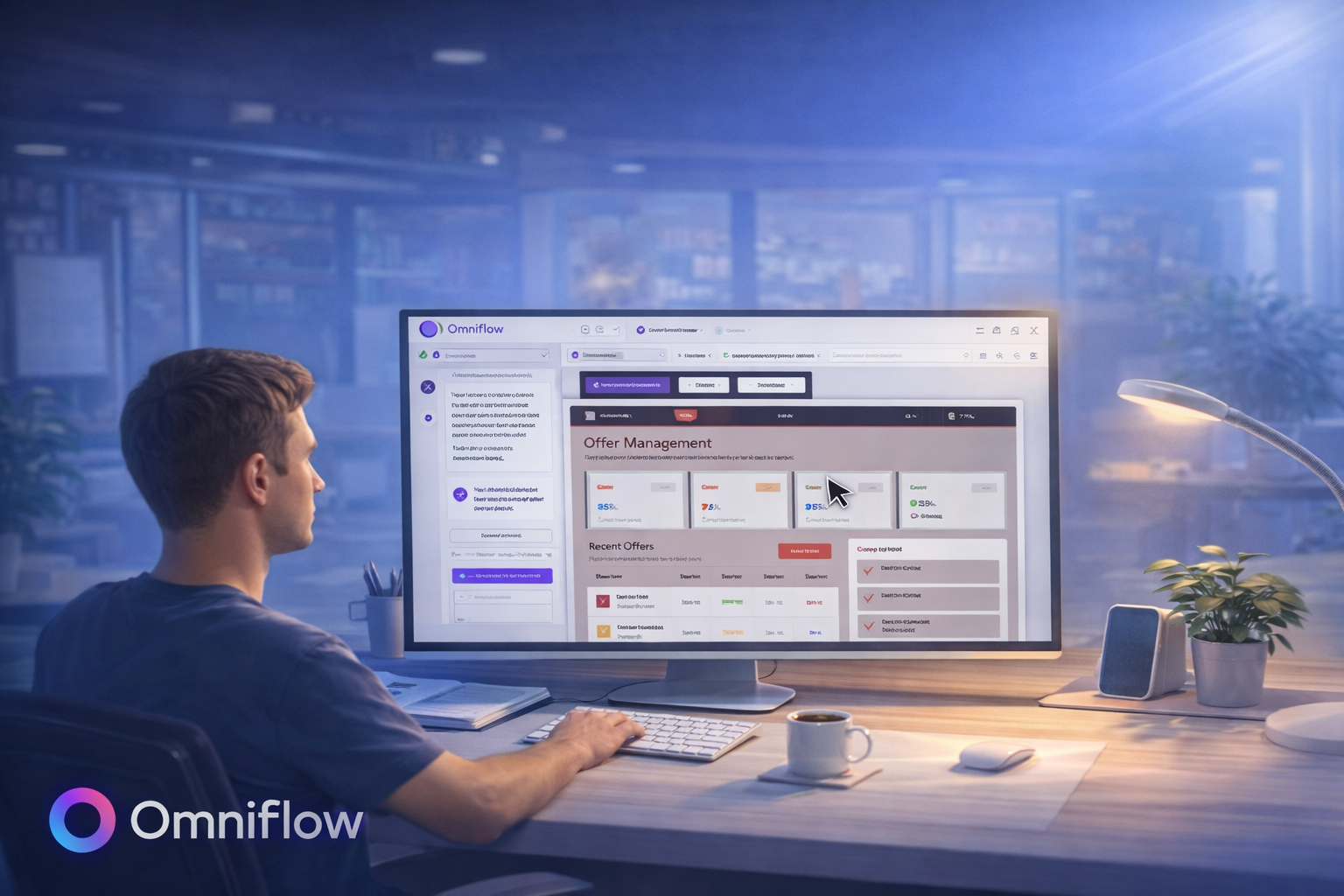 Most product rework doesn’t happen because teams are careless. It happens because design decisions come too late.
Following established design principles, such as usability, accessibility, and user-centered thinking, helps avoid pitfalls and leads to more consistent, high-quality products.
The problem is by the time a product reaches development, fonts might be wrong, colors feel off and layouts might not work as expected.
Suddenly, what looked “good enough” in early mockups turns into weeks of redesign, re-coding, and re-testing.
Every founder, product manager, and developer has lived through this cycle. And if you've been there, you know how frustrating it can be.
That’s why creating intuitive interfaces that feel natural and require no explanation is so important for a seamless user experience.
And it's important to get it right, right from the start! Otherwise, it can be expensive, time-consuming, and it can slow everything down.
It’s also the exact problem that Omniflow’s latest update is designed to solve.
Omniflow's AI-Powered Design Editing
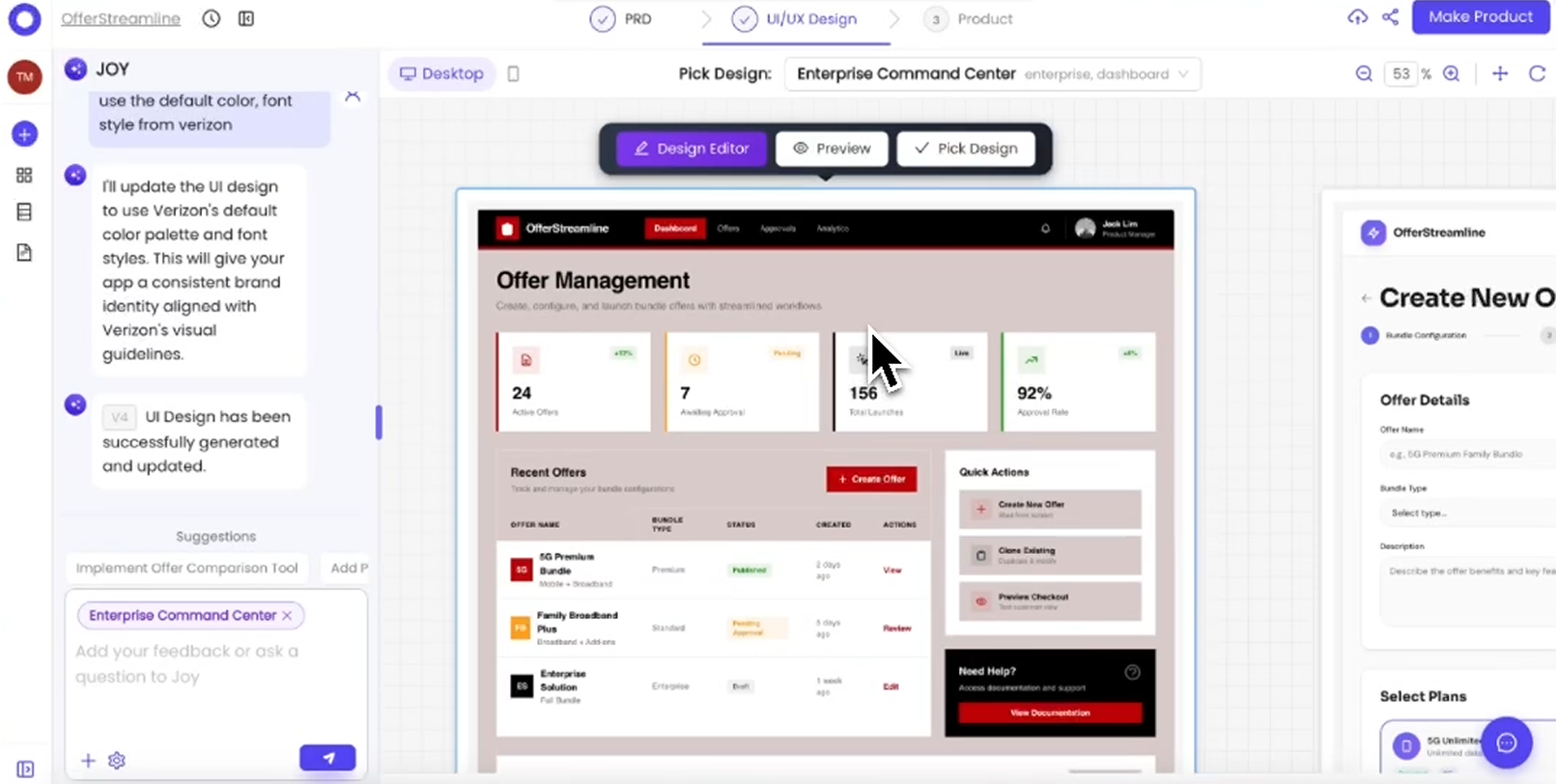
With Omniflow, teams can now edit UI and UX directly in-app before building.
Instead of relying on disconnected tools or static mockups, creators can refine their interfaces inside Omniflow’s AI-powered environment. This process brings digital products to life and enhances the ability of users to interact with them smoothly and efficiently.
You can:
Change fonts
Adjust colors
Refine layouts
Improve interactions
All before code is generated or engineering gets pulled in.
 "This new workflow aligns perfectly with what we’ve outlined in our guide on how to choose UI before you build, where early design validation is critical to long-term success. Ultimately, UI design is about improving the connection between human users and technology, making digital experiences more accessible and engaging. And when you get UI right from the start, the result is faster shipping and better products."
The Real Cost of Late Design Decisions
In most traditional workflows, design and development are treated as separate phases. First, designs are created. Then they’re handed off. Then developers start building.
The problem is that teams often don’t realize what isn’t working until real progress has already been made. At that point, even small changes become major setbacks.
A color tweak means updating multiple UI components, with each component requiring careful adjustment to maintain consistency. A font change affects spacing and responsiveness. A layout adjustment breaks existing logic.
What should take minutes suddenly takes days. And over time, this leads to:
Slower release cycles
Burned engineering hours
Growing technical debt
Frustrated teams
Missed opportunities
Poor visibility into progress
And worst of all, it trains teams to “settle” for imperfect design just to ship.
Early alignment between design and development is one of the biggest factors in sustainable growth, which is something we've discussed previously in our breakdown of how generative AI is reshaping the product lifecycle.
Introducing Omniflow’s Real-Time Design Editing
With its newest update, Omniflow changes workflows completely.
Instead of locking in designs early and hoping for the best, teams can now edit UI and UX directly inside the platform before anything is built. Our AI can generate multiple design options from prompts or sketches, making it easy to start with a rough sketch or initial concepts and quickly move into prototyping real designs.
Users simply describe the desired interface, the edits they want to make or the design style they want to recreate using natural language and the AI will generate corresponding visual designs automatically, streamlining the process from idea to prototype, as well as from prototype to updated versions of your product.
Inside the platform, creators can:
Change fonts
Adjust colors
Refine layouts
Improve interactions
Polish visual hierarchy
Create new interface elements from scratch
Omniflow’s current features include rapid prototyping, real-time editing, and automated design generation, making it easy to iterate and collaborate efficiently.
But this update is designed specifically to ensure design is perfected before engineering resources are committed. Real-time visual editing works hand-in-hand with Omniflow’s Living PRDs, which we explain in detail in how to achieve faster iteration with a living PRD in sync.
After all, design isn’t something you “finish” and pass along. It evolves alongside your product. It becomes an active checkpoint.
That’s exactly why Omniflow’s AI design generator with real-time editing helps teams get design right early, leading to less rework and faster shipping.
Design First. Build Once.
The biggest advantage of real-time editing isn’t convenience. It’s confidence.
When you can see and shape your interface before development starts, you make better decisions earlier. You stop guessing how something might feel. You know.
Instead of discovering problems weeks later, you solve them immediately.
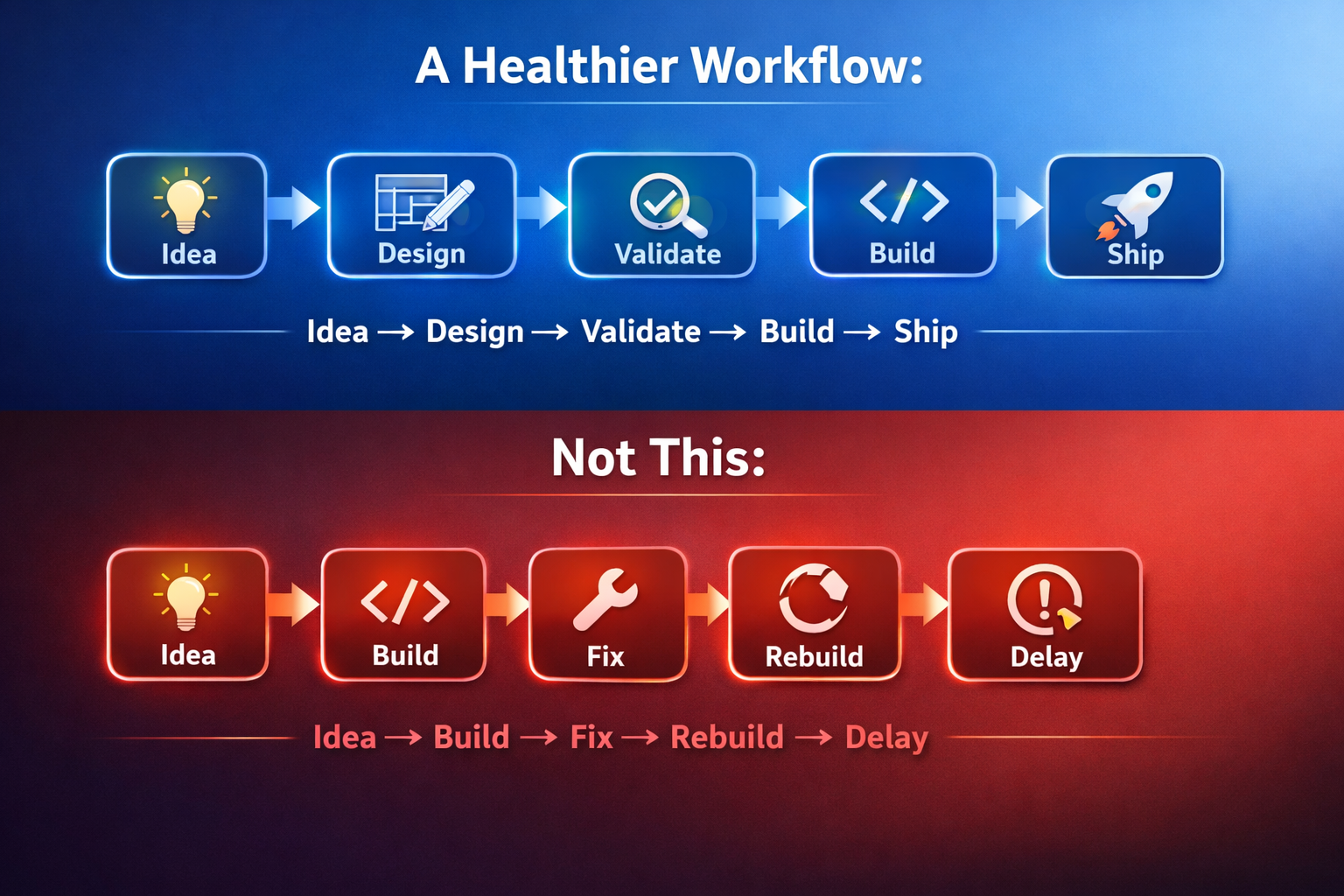
With Omniflow, teams move faster without sacrificing quality. The combination of real-time UI and UX design enables more cohesive and effective products, ensuring that both visual and functional aspects work seamlessly together.
For developers comparing design tools, Omniflow's seamless approach to development is just one of the reasons our platform consistently ranks as a better option than most of the best no-code app builders available today.
Why Real-Time Editing Changes Everything
Traditional design tools are great for static mockups. But modern products aren’t static. They’re dynamic systems. Buttons respond. Pages adapt. Workflows evolve.
Omniflow bridges the gap between design and functionality, helping teams:
Catch usability issues early
Improve accessibility
Optimize layouts for real users
Test hierarchy before launch
Reduce feedback cycles
Maintain consistency
Focus on user needs and usability throughout the design process
Knowing that you can edit UI design in real-time and make updates using AI are just a few of the features that help Omniflow stand out. These features are especially valuable for teams evaluating product alternatives, including those researching a Base44 alternative or experimenting with emerging tools like Clawbot, which may not be the best option for teams that want to scale.
Less Rework. More Momentum.
Every product team wants speed. But speed without alignment leads to chaos. Omniflow creates structured speed. Because designs are validated early:
Developers avoid rebuilding components. Product managers rely on accurate specs. Designers aren’t fixing rushed decisions.
The result:
Fewer revisions
Cleaner codebases
Shorter sprints
Faster launches
Better use of resources
And more time spent innovating instead of correcting mistakes.

For teams managing growing complexity, pairing this workflow with a centralized system, like the one we described in how to build an internal knowledge base, can further improve efficiency. Omniflow helps teams keep every design project organized and on track, ensuring each stage and deliverable is managed efficiently.
Design as a Checkpoint, Not a Handoff
One of the biggest mindset shifts Omniflow encourages is simple:
Design isn’t a handoff. It’s a checkpoint. It’s the moment teams pause and ask: “Is this really what we want to build?”
This checkpoint is also an opportunity to define key design goals, ensuring everyone is clear on the standards and principles guiding the UI design process. With real-time editing, that checkpoint happens naturally, before timelines are locked and before mistakes become expensive.
Founders and product leaders can also stay involved in quality control without slowing momentum.
With Omniflow, you stay in the driver’s seat, which benefits the entire team by aligning development with overall business objectives.
Who This Feature Is Built For
Omniflow’s real-time design editing is especially powerful for:
Startup Founders – Validate ideas without burning runway
Product Managers – Align teams early
Developers – Avoid rebuilding interfaces
Agencies – Deliver polished work faster
Indie Makers – Ship without large teams
UX Designers – Shape seamless user journeys
Whether you’re building for mobile, web, or multi-platform products, Omniflow helps teams create responsive, adaptable interfaces at scale.
Omniflow streamlines the creation of user-friendly software products for every end user, making it easy to deliver intuitive and engaging experiences, every time.
Ready to try it out for yourself? Sign up today and try Omniflow for FREE!
Frequently Asked Questions
What is an AI design generator with real-time editing?
It’s a feature that generates UI designs using AI and allows instant customization of layouts, colors, fonts, and interactions before development begins.
Can I customize designs before code is created?
Yes. Omniflow lets you fully refine your interface before any production code is generated.
How does this reduce product rework?
By catching usability and design issues early, teams avoid costly rebuilds later.
Do I still need traditional design tools?
For many workflows, Omniflow can replace or reduce reliance on separate design tools by combining design and generation in one platform.
Is this feature suitable for non-designers?
Yes. It’s built for founders, developers, and product teams—not just professional designers.