How To Build An Internal Knowledge Base Using Omniflow
 The average employee spends several hours each week searching for information.
And that's a problem that Omniflow is working to solve by making it easier for teams to build internal branded knowledge bases, which reduces wasted time and boosts productivity.
A powerful internal knowledge base gives teams a centralized, searchable space where information lives — eliminating the need for messy Slack threads, scattered docs, and outdated wikis.
An internal knowledge base can be a game changing tool for organizations, serving as an organizational knowledge base that streamlines collaboration and information sharing.
Ultimately, building an internal knowledge base improves onboarding, training, and cross-departmental collaboration.
With Omniflow, teams can build a custom knowledge hub that feels native to their product and workflow and delivers contextual help exactly when people need it.
Why Your Team Needs an Internal Knowledge Base Solution
As teams scale, knowledge silos grow. Onboarding manuals, along with onboarding materials such as guides and training videos, process docs, how-tos, best practices, and all sorts of other business-specific information often live in scattered notes and shared drives.
Internal teams often spend a lot of time maintaining up-to-date documentation. But doing so manually is often inefficient, leading to wasted time and repeated questions.
Creating a custom knowledge base, on the other hand, turns this chaos into structure, enabling teams to find answers instead of asking for them.
A knowledge base helps new employees, new hires, and the company’s employees quickly access onboarding materials and essential information, making onboarding smoother and reducing miscommunication.
A well-structured knowledge base significantly improves employee productivity by streamlining access to information. It also supports knowledge retention by preserving institutional knowledge even as employees leave or change roles.
 Step 1 - Getting Started With Omniflow
Begin by navigating to the Knowledge Base section inside your Omniflow product workspace.
Omniflow functions as both dedicated knowledge base software and an internal knowledge base software solution. Omniflow simplifies the process of building a well organized knowledge base by providing you with a user-friendly interface for creating or uploading documents.
From here, you can create articles, upload supporting documents, and organize content into categories and hierarchies so information is easy to locate.
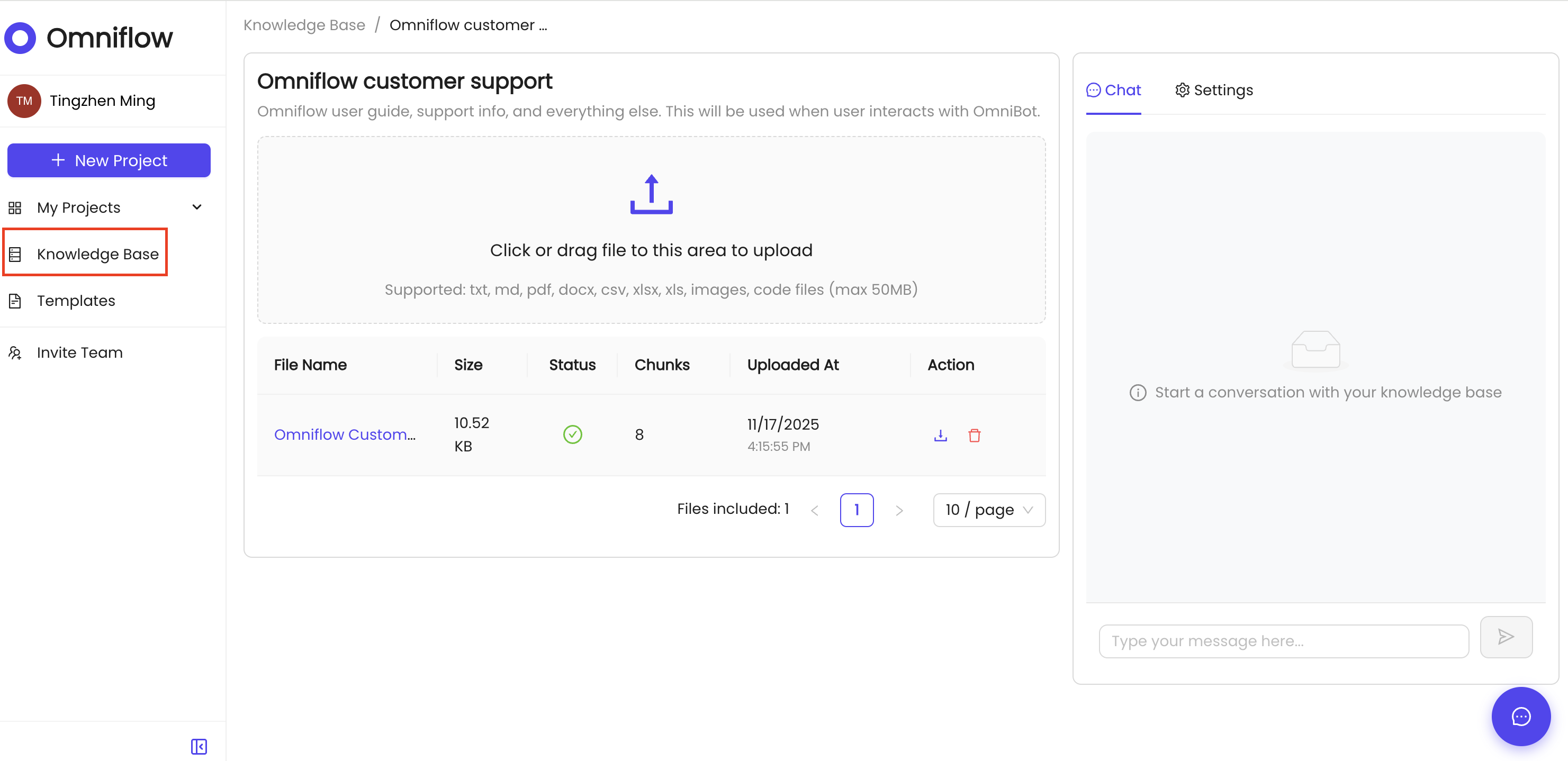 This includes creating knowledge base articles, training materials, and how-to guides as part of your documentation. Integrating with existing tools and using a robust search function ensures your knowledge base becomes a single source of truth for the product.
Omniflow’s built-in intelligent search automatically helps users find the right answers using natural language queries — even when they don’t know the exact terminology.
The knowledge base enables self service by allowing internal or external users to resolve issues on their own without waiting for support, reducing frustration and getting teams the info they need faster than previously possible.
Step 2 - Building Your Knowledge Base
While Omniflow doesn’t require separate branding tools, you can shape how the knowledge experience feels within your workspace.
Organize categories around your team’s taxonomy (e.g., Product, Support, Engineering) and craft article titles that match how people naturally search for answers about their business and its product.
Using consistent naming conventions is essential for improving searchability and navigation, making it easier for users to find the information they need, when they need it most.
 The key to building a solid knowledge base is clarity: use concise article headers, consistent formats, and intuitive categories so users don’t have to guess where to click.
You should also leverage collaboration features to enable team members, support agents like your internal support team, customer support team, customer service team, and marketing team to contribute to and maintain the knowledge base efficiently.
Internal wikis can also serve as a reference for structuring onboarding materials and FAQs, ensuring comprehensive and accessible documentation for everyone.
A well-structured knowledge base helps reduce support requests by providing answers before users need to contact support.
Step 3 - Integration and Deployment
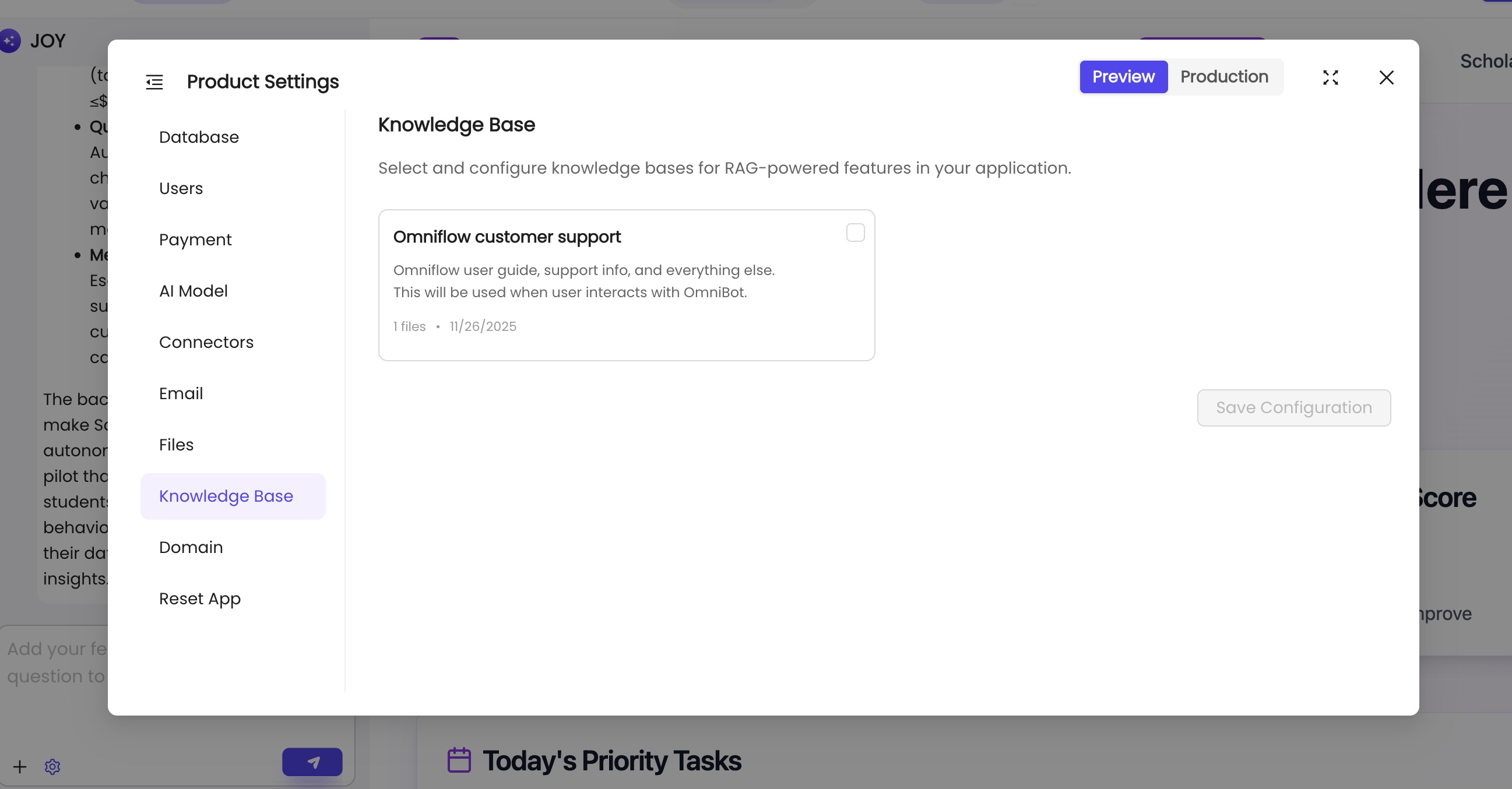
Once your articles are ready and search settings configured, all you have to do is attach the knowledge base to your Omniflow project and deploy it.
This will automatically integrate the knowledge base with your product's existing tools and workflows and ensures all internal information is easily accessible.
Your knowledge base will help store critical information, project plans, and up-to-date information about your business for future use by employees, and external teams.
 Users inside your internal environment will now have contextual assistance at their fingertips — right where they work.
And the best part is that Omniflow acts as both an internal knowledge base solution and a comprehensive knowledge base solution, centralizing valuable information and institutional knowledge for your organization.
Building better products with Omniflow's Knowledge Base feature
A well-built internal knowledge base (internal KB) doesn’t just store information — it powers productivity.
A knowledge base enhances customer satisfaction by enabling quick self-service, allowing users to find answers efficiently without waiting for support responses.
To keep your internal KB effective, regularly gather feedback from users to identify gaps and improve content quality. Following best practices for managing your internal KB—such as frequent updates and clear organization—ensures it remains a valuable resource for your team.
Ready to get started? Sign up today and try Omniflow for FREE!