
 Artificial intelligence is rapidly becoming one of the most important technologies in modern software development.
As businesses race to create smarter digital products, more developers are searching for practical ways to learn how to integrate AI into an app or build intelligent features into their platforms.
From AI chatbots and personalized product recommendations to automated customer support and predictive analytics, AI is transforming how people interact with applications.
At the same time, developers are also asking how to integrate AI into a website without spending months building complex machine learning systems from scratch.
Traditionally, adding AI functionality required specialized expertise, extensive infrastructure, and significant development time.
Today, however, new tools are making AI integration dramatically easier.
If you ask us, one of the most exciting developments in the AI development platforms industry is Omniflow, a platform designed to simplify product creation and accelerate app development.
With our newest feature release, Omniflow allows developers to quickly add powerful AI capabilities to their applications with just a few simple steps.
Below, we walk you though how this innovative new feature is revolutionizing AI app development and how you can easily use Omniflow to integrate AI models into your apps or websites.
 Can I Integrate AI in My Web App?
Yes! And the good news is that it’s easier than ever before.
In the past, developers who wanted to integrate artificial intelligence into an application had to manage a complex workflow that included:
Training machine learning models
Setting up infrastructure
Writing custom integration code
Managing APIs and data pipelines
Handling model optimization and updates
This process often required teams of data scientists and engineers.
Today, however, Omniflow allows developers to add AI-powered functionality with minimal technical overhead.
How to Integrate AI Into an App Using Omniflow
If you're wondering how to integrate AI into an app using Omniflow, the process is remarkably simple thanks to our recent feature release. Developers can implement AI functionality directly from the Omniflow dashboard in just a few steps.
Step 1: Open Your Omniflow Dashboard
Start by logging into your Omniflow account and opening your dashboard. This is where you can manage all of your projects and development workflows.
Step 2: Navigate to Your Project
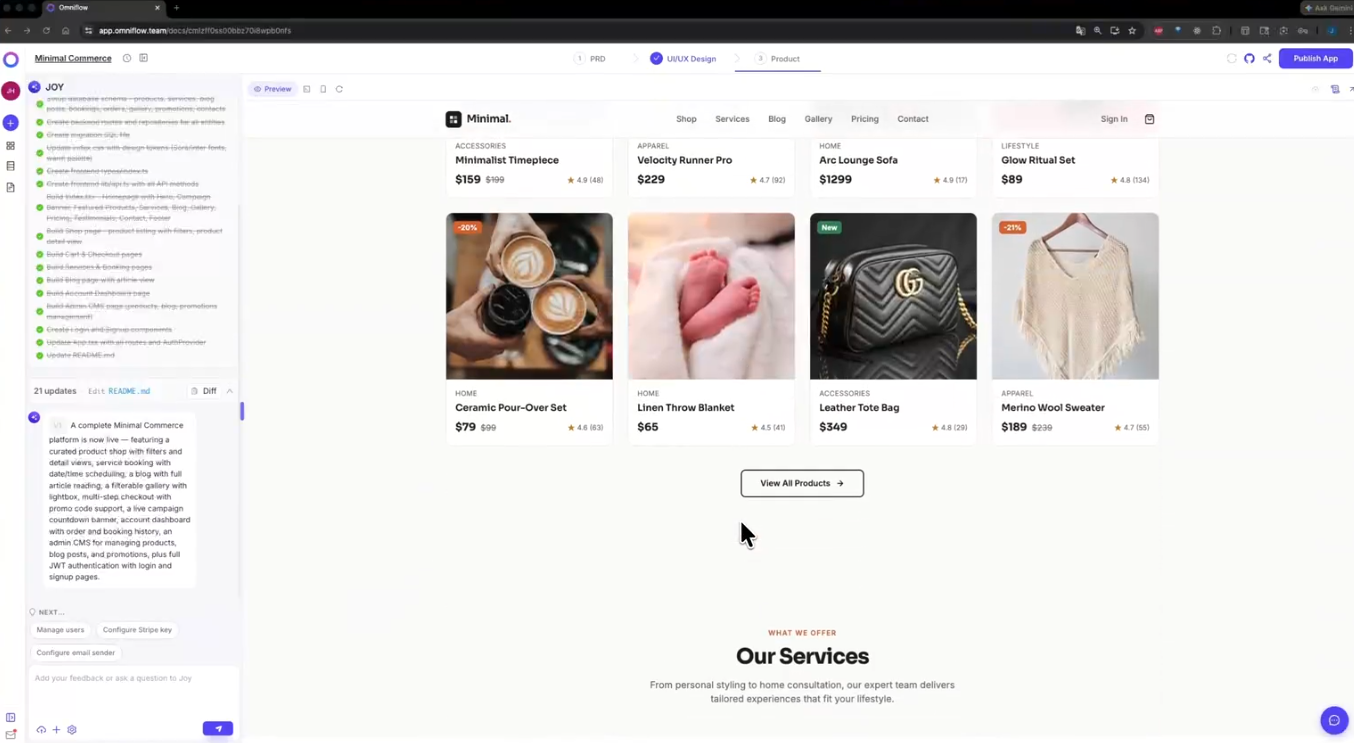
Next, locate the project where you want to add AI functionality. Omniflow allows you to manage multiple projects simultaneously, making it easy to update existing applications. Select the specific project where you'd like to integrate AI features.
Step 3: Click the “Add” Button and Select +AI
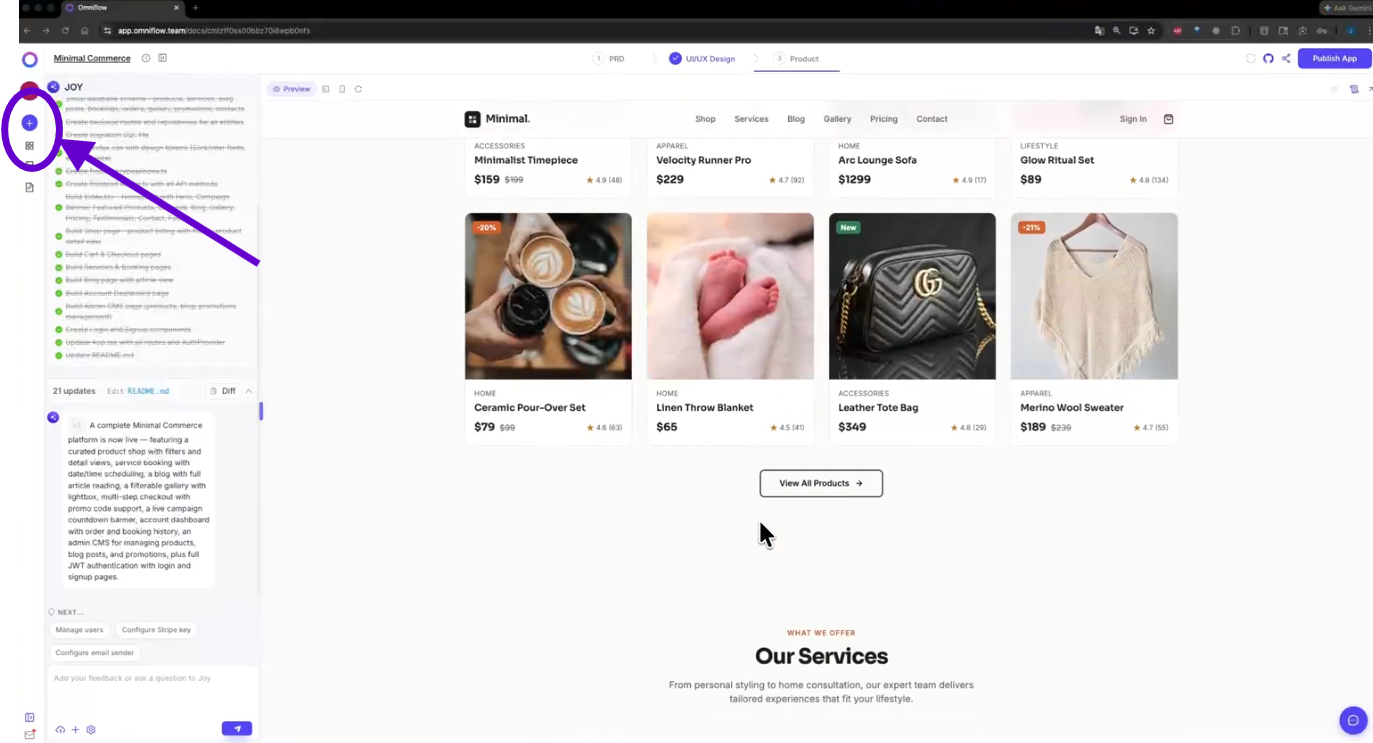
Inside the project interface, look for the Add (+) button near the bottom-left corner of the screen. Clicking this button will open a menu of new feature options. From the menu, select "+ AI" to begin the AI integration process.
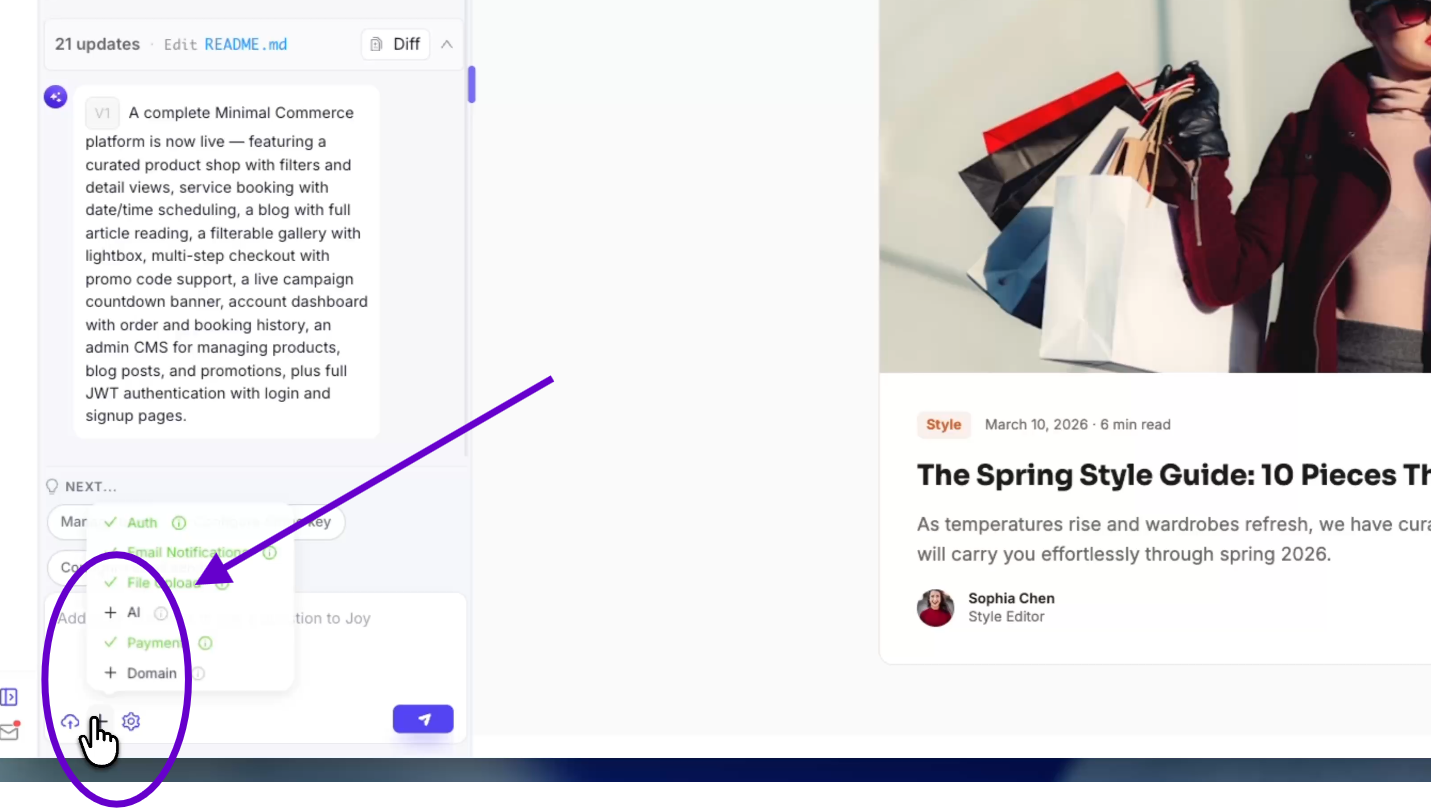
Step 4: Describe Your AI Feature Using Natural Language
This is where Omniflow’s new feature really shines. Instead of writing complicated code, simply write a prompt in natural language describing the AI-powered feature you want.
For example, you might write something like:
“Add an AI chatbot that answers customer support questions.”
“Create a recommendation engine for related products.”
“Generate AI-powered product descriptions.”
“Add an AI assistant that helps users navigate the platform.”
Omniflow’s AI system will then analyze your prompt and automatically build the required integration.
This approach makes it dramatically easier to learn how to integrate AI into a website or application without needing advanced machine learning knowledge.
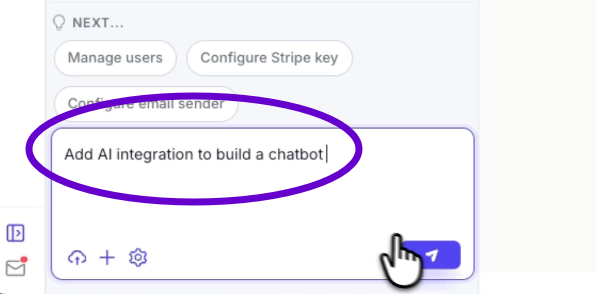
Step 5: Deploy Your Changes
Once the AI feature has been generated, simply deploy your changes and you're done. Your application will now include the new AI-powered functionality, allowing users to immediately start interacting with the feature.
Pro Tip - You can also fine tune the model, request and make changes to your new AI technology just by chatting with our AI. Feel free to ask questions, provide additional details or request changes to your product at any time.
What Type of AI Integrations Exist?
How AI tools function and choosing the right AI models for your app is an entirely different topic of conversation.
But whether you're trying to figure out how to integrate AI into an app or how to integrate AI into a website, modern development platforms are designed to remove the complexity.
Some of the most common AI-powered machine learning features and pre-trained models developers are adding to web apps include:
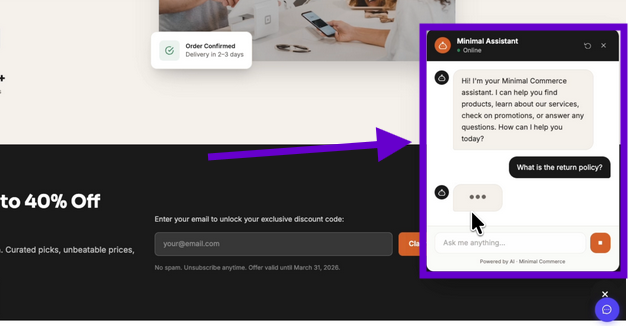
AI chatbots for customer support
Smart search functionality
Personalized product recommendations
Automated content generation
Image and voice recognition tools
Predictive analytics dashboards
These features can dramatically improve user experience, increase engagement, and automate repetitive tasks. As AI continues to development, we expect there will only be more ways developers can integrate AI to make their apps even better than ever.
How Omniflow Makes AI Integration Simple
Omniflow has already established itself as a powerful platform for building modern applications faster and more efficiently.
Our platform streamlines development workflows by offering tools that help developers manage projects, automate tasks, and deploy applications with ease.
Now, with the latest feature update, Omniflow has made it even easier to understand how to integrate AI into an app without needing deep expertise in machine learning.
Our new AI integration allows developers to simply describe the AI functionality they want to add to their application.
For example, you might want to add:
An AI-powered chatbot to answer user questions
A recommendation engine for an eCommerce store
A content generator for marketing pages
AI-powered product suggestions
Automated summarization tools
Instead of building these systems manually, developers can now simply tell Omniflow what they want.
The platform’s AI engine then automatically generates the new AI feature, relevant data, and other product requirements, and deploys the required functionality inside the application.
This approach dramatically reduces development time while allowing teams to rapidly experiment with new AI-driven features.
The Benefits of AI Integrations - Why AI Integration Is Becoming Essential for Modern Apps
AI is quickly moving from a “nice-to-have” feature to a core component of modern digital products.
Applications that incorporate AI can offer:
Smarter user experiences
Personalized recommendations
Automated workflows
Data analysis & data preparation
Faster customer support
Improved data insights
As competition increases across digital industries, businesses that adopt AI early can gain a significant advantage.
That’s why so many developers are searching for practical solutions for how to integrate AI into an app or how to integrate AI into a website without slowing down development cycles.
Tools like Omniflow make it possible for even small teams to implement sophisticated AI features that were previously only accessible to large tech companies.
Start Integrating AI Into Your App Today With Omniflow
If you're looking for a fast, simple way to learn how to integrate AI into an app, Omniflow’s new AI integration feature provides one of the easiest solutions available today.
With just a few clicks, developers can describe the AI functionality they want and let Omniflow automatically implement the feature.
Whether you're adding a chatbot, recommendation engine, or automated content generator, Omniflow helps you deploy AI-powered functionality faster than ever.
Ready to get started with AI integrations? Sign up today and try Omniflow for FREE!
FAQ Section - How To Integrate AI Solutions & AI Chatbots
Can I integrate AI tools in my App?
Yes. Modern development platforms like Omniflow make it easy to integrate AI into an app without building complex machine learning infrastructure. Developers can quickly add features like AI chatbots, product recommendations, smart search, and automated content generation using simple prompts instead of custom code.
How Much does it cost to integrate AI into an app?
The cost depends largely on the complexity of the AI feature, usage volume, and infrastructure requirements and how you build your app. Traditional AI integrations can cost tens of thousands of dollars, but platforms like Omniflow significantly reduce costs by automating much of the development process.
How to integrate OpenAI into an AI app
Developers can integrate OpenAI models to power features like chatbots, content generation, translation, and text summarization. Instead of manually configuring APIs, platforms like Omniflow simplify the process by handling backend integrations automatically, allowing developers to deploy AI features quickly without understanding how to manually integrate OpenAI into their products.