How We Used Omniflow's AI Website Optimization to Improve SEO-Friendliness
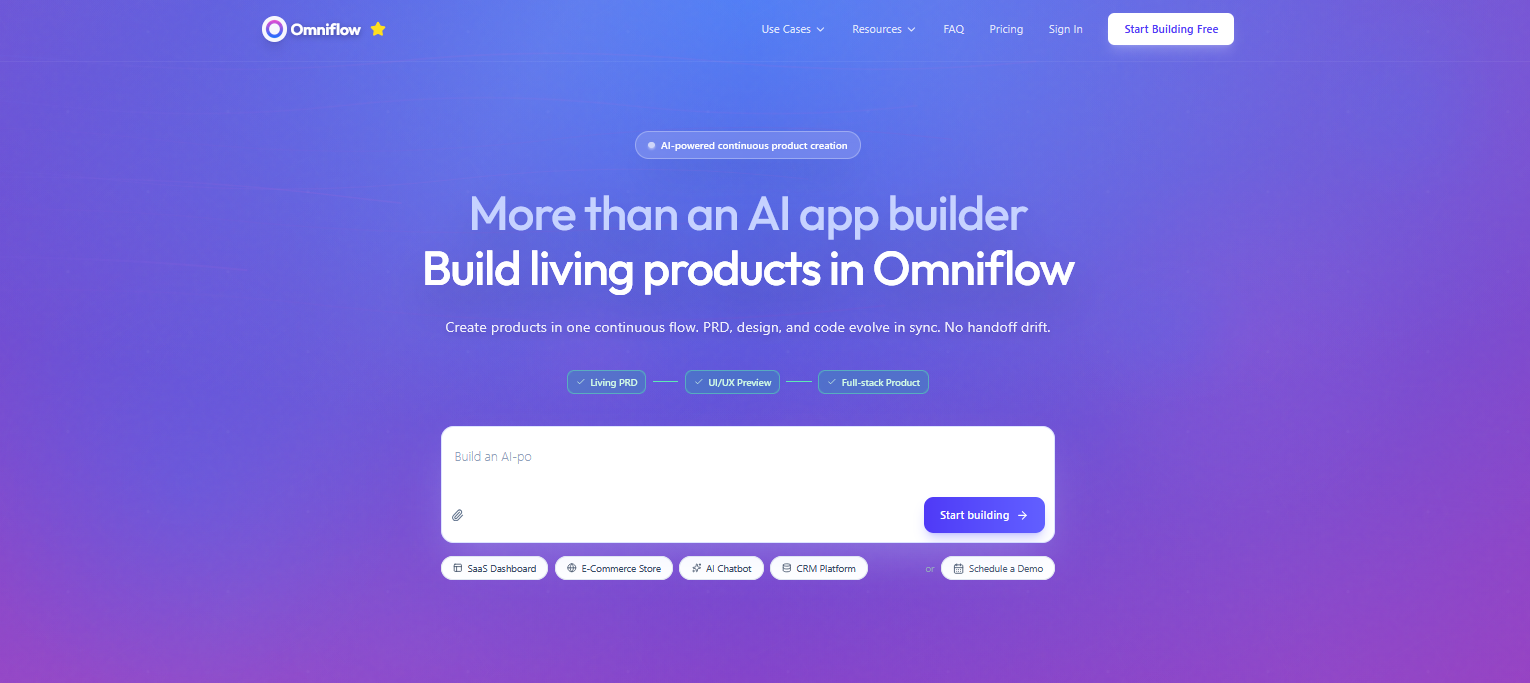 When we first launched the Omniflow website, we knew we were building something powerful.
But like many early-stage SaaS teams, our focus was heavily on product development, not necessarily how our website would look in the eyes of search engines. SEO structure, indexing optimization, and metadata strategy were not our top priorities.
The result was that we built a clean site with strong brand messaging.
It looked nice on the surface and told customers and prospects what they needed to know about our platform. But it lacked content depth and had minimally structured metadata, which meant slow indexing on search platforms like Google.
So we decided to use Omniflow AI to revamp the site from top to bottom.
As part of that strategy, we also incorporated AI optimization to improve our visibility in both traditional and AI search environments.
The following case study walks through how we used AI website optimization inside Omniflow to improve our site’s SEO-friendliness, implement technical enhancements, and accelerate iteration without adding engineering overhead.
The Challenge: A New Site With Limited Indexing
As a relatively new domain, omniflow.team faced three major SEO challenges:
Limited indexed pages
Inconsistent or missing meta titles and meta descriptions
A homepage that needed clearer positioning and stronger branding
Lack of focus on target keywords and keyword research
Search engines rely on structured signals, like meta data to help them understand context and what type of topics might be found on any given website.
So, without optimized metadata, internal linking clarity, and content consistency, even strong products may struggle to gain visibility. Optimizing our content for both user intent and search engine requirements was therefore essential for ensuring higher rankings and better engagement.
But instead of manually updating templates, editing CMS fields one by one, and coordinating across design and engineering, we decided to test Omniflow’s AI website optimization capabilities on ourselves.
By leveraging SEO automation and technical SEO improvements, we aimed to address a wide range of challenges efficiently and comprehensively.
Here’s a closer look at how we did it!
Step 1: Using Natural Language to Implement Search Engine Optimization Features
We began by writing simple, structured prompts inside Omniflow, such as:
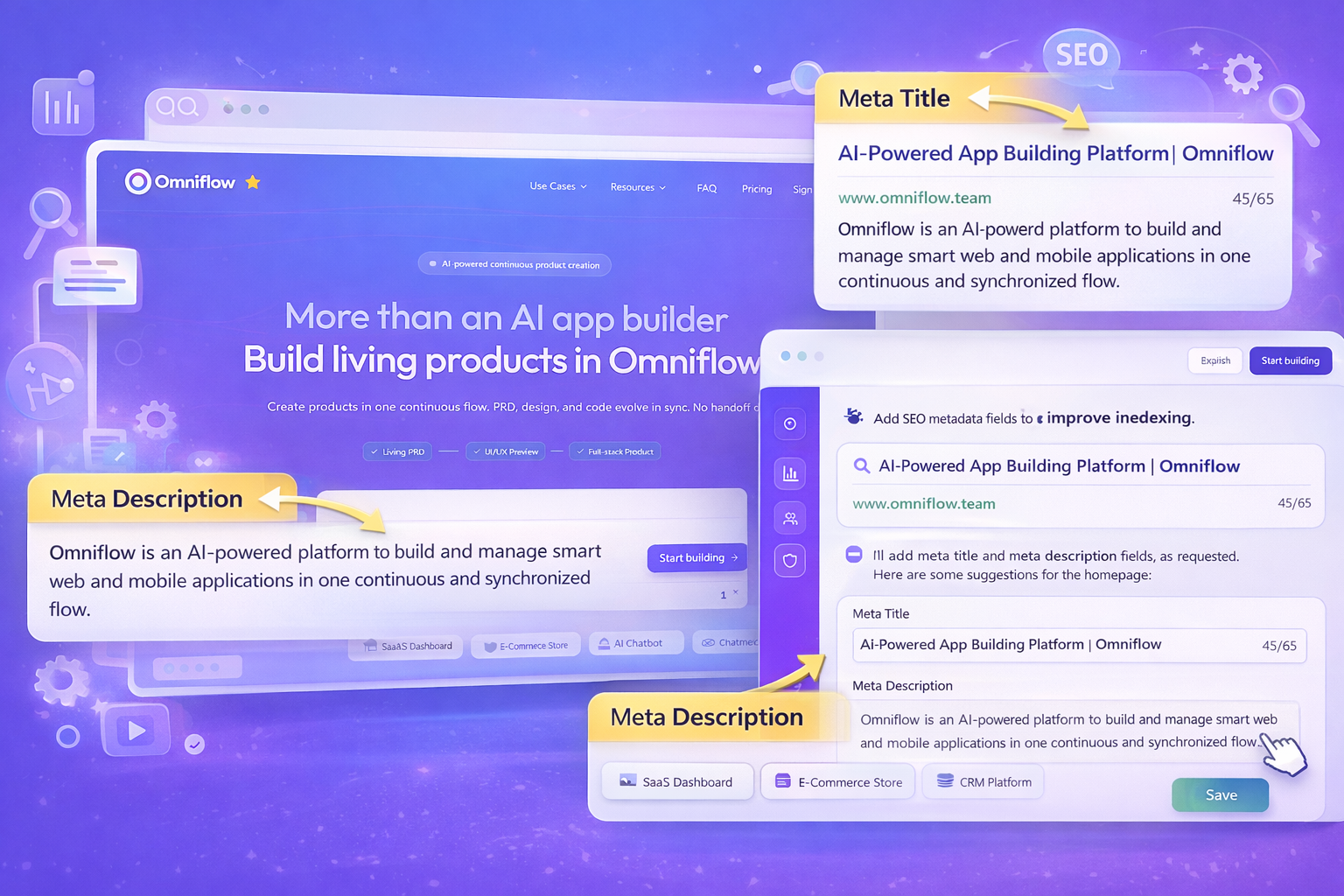
Add dynamic meta-title and meta-description fields to all blog posts and landing pages. Ensure titles are keyword-optimized and descriptions are under 160 characters.
After adding meta-title and meta-description fields, we then implemented structured data to enhance AI understanding and improve search visibility.
Adding data fields like this manually creates a lot of work.
But Omniflow’s AI interpreted our instructions quickly, easily, and automatically applied structured SEO metadata fields across our CMS architecture.
This meant no manual coding, no plugin stacking, and no template rewriting. The AI generated all the required fields and optimized meta titles and descriptions for existing content and embedded logic for future posts.
It was a quick and easy improvement, but this alone improved crawl clarity and provided search engines with structured context for every page.
 Step 2: Strengthening Brand Visibility and Homepage Clarity
Next, we addressed brand positioning. We knew our homepage needed stronger messaging hierarchy and clearer value articulation. So, using Omniflow, we:
Refined headline structure
Clarified feature descriptions
Improved call-to-action placement
Enhanced visual flow
These improvements support a cohesive content strategy and lay the groundwork for developing content clusters, ensuring our site structure is optimized for both users and AI website optimization.
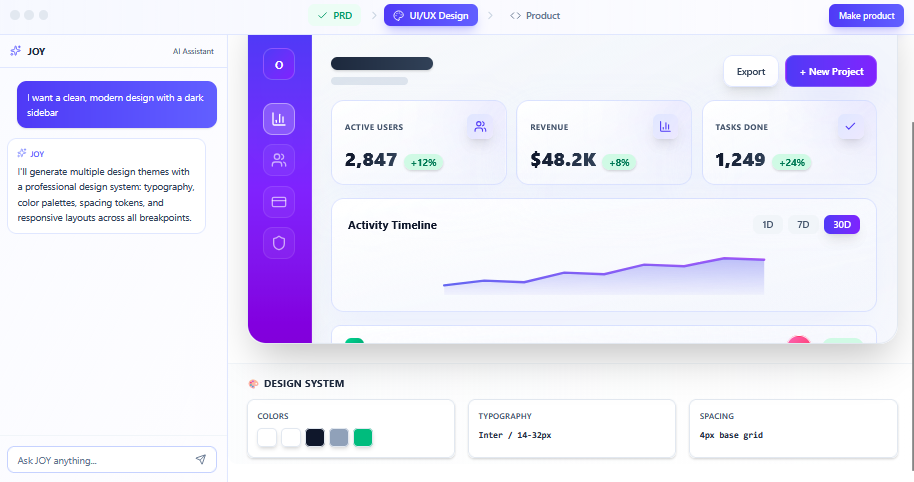
Instead of mockups bouncing between Figma and docs, we described the changes in natural language.
Omniflow updated our living PRD automatically, documented every change, and generated a working prototype of the new homepage, allowing us to immediately see how:
The new branding felt stronger
The messaging was more concise
The layout improved scannability
By focusing on building authoritative content, we not only enhanced user experience but also improved our search visibility, making our site more likely to be recognized and cited by AI-driven search engines.
Overall, using Omniflow AI reduced iteration time dramatically. We didn’t just write strategy documents. We saw the execution instantly.
Step 3: Living PRD + Cross-Feature Alignment
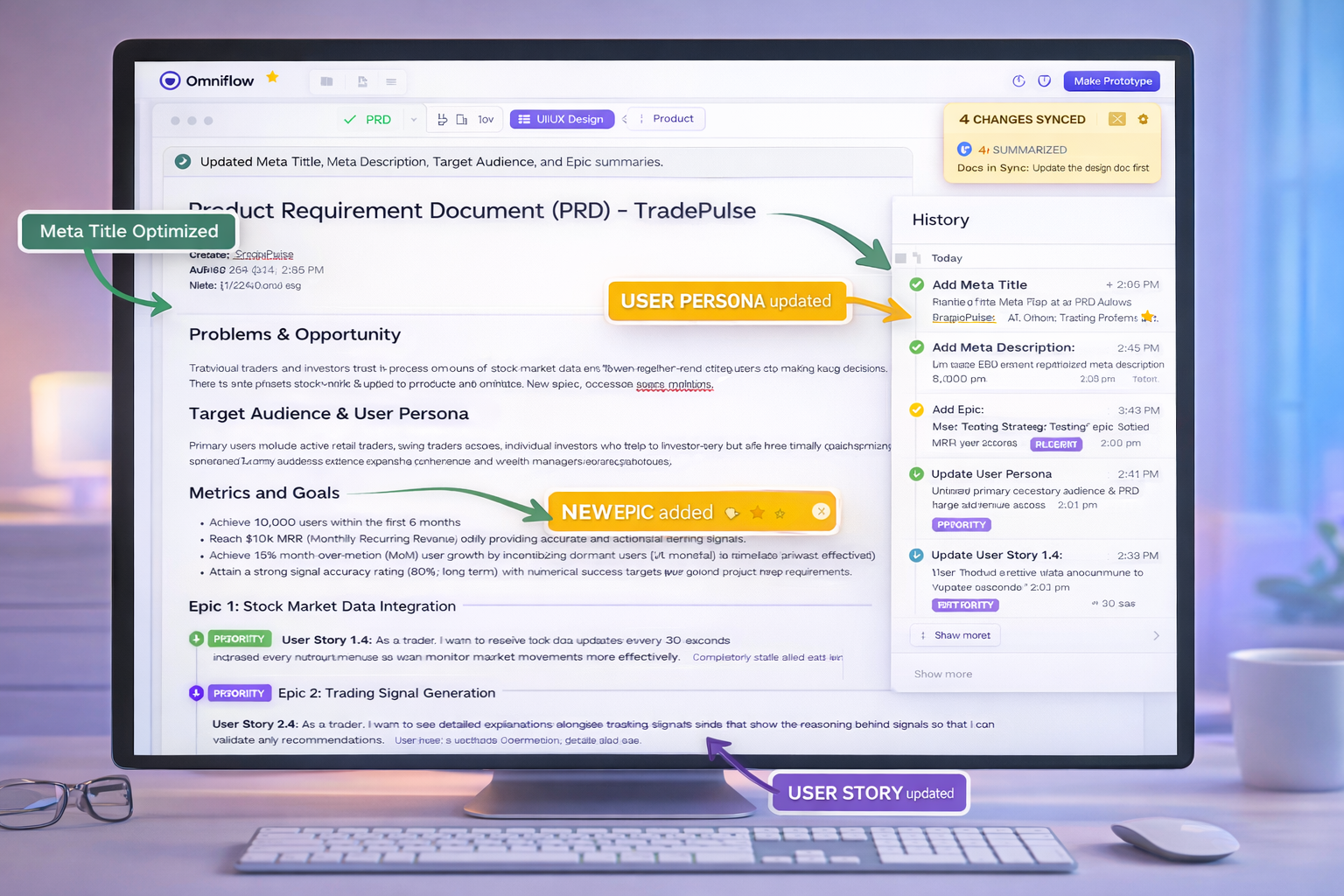
One of the most powerful parts of this AI website optimization process was how every change synced across our product documentation.
When we updated SEO logic or page structure:
The changes were reflected in our living PRD
Design updates were logged
Technical implementation was documented
This intelligent workflow streamlined the entire content creation process for site owners, making it easier to develop, optimize, and manage web content efficiently.
There was no disconnect between “idea,” “spec,” and “deployment.”
This meant faster team alignment, clear documentation for future updates, and no SEO changes getting lost in Slack threads.
Everything lived inside one intelligent workflow, which made updates simpler to implement and easier to track across the whole team.
With built-in visibility tracking, site owners can monitor the impact of changes across search engines and AI-powered platforms, ensuring improved content performance and brand presence.
 Step 4: Rapid Prototyping Before Deployment
Before pushing changes live, we used Omniflow’s prototype preview capability, which allowed us to:
Validate metadata display
Confirm structured hierarchy
Test homepage UX improvements
Review internal linking behavior
By leveraging AI-powered features and switching to AI mode, we enhanced our ability to test and optimize content for improved search visibility and relevance.
Instead of publishing and hoping for the best, we iterated in a controlled environment.
This meant faster refinement and higher confidence in every SEO enhancement we made.
Step 5: Using Structured Data to Make the Site Easier to Crawl and Index
By combining structured metadata, improved hierarchy, and clearer content organization, we created stronger indexing signals.
Our improvements included:
Unique meta titles for each page
Keyword-aligned descriptions
Improved content structure
Clear internal linking pathways
Stronger homepage authority signaling
Optimizing each web page for both traditional and AI search results pages
Search engines don’t just look at content volume. They look at structure, clarity, and consistency. They interpret internal and external links, what blog posts are about, and how they're interconnected with other blog posts and site pages.
 The Outcome
While SEO growth takes time, we immediately achieved:
A more technically sound website structure
Stronger brand positioning
Better crawl readiness
Improved search visibility in traditional search results
Increased brand visibility across AI-powered platforms
And most importantly, we did it without expanding our engineering workload.
Omniflow’s AI didn’t just generate content for us. It helped us implement structural SEO improvements directly into our CMS while documenting every step.
This means that, in the future, it’ll be easier for our team to create content that ranks and attracts impressions and clicks to our content.
This reinforced what we believe about modern product development… That AI shouldn’t just be used for output. It should be used for full-scale orchestration, improve efficiency, and overall better products.
Why This Matters for SaaS Teams
Most startups struggle with SEO because it feels disconnected from product work. But when content strategies and SEO enhancements prompt-driven, automatically implemented, synced to documentation and previewed before release, SEO and website optimization becomes one part of the whole product development process.
Only then, does optimization becomes part of your product workflow, not just an afterthought.
That’s what AI website optimization enabled for us. And we’re continuing to build on that foundation with every new feature release and blog update on our site.
If you’re interested in how we’re evolving product workflows with AI, you can explore more insights on our blog. Or, if you’re ready to try it for yourself, sign up today and try Omniflow for FREE!
FAQs
What is AI website optimization and what are AI SEO tools?
AI website optimization uses artificial intelligence to improve site structure, metadata, UX, and performance through automated implementation and intelligent workflows.
How did Omniflow improve SEO-friendliness?
We used natural language prompts to add meta titles, meta descriptions, improve homepage structure, and strengthen internal linking, all automatically documented and applied through our CMS.
Can AI help with website indexing?
Yes. By improving structured metadata, hierarchy, and content clarity, AI-driven optimization can make it easier for search engines to crawl and index pages.
What is a living PRD?
A living PRD is a dynamically updated product requirements document that syncs with changes across design and development workflows. Omniflow now supports cross-document synchronization, which means that all changes are tracked and synced everywhere.
Is AI website optimization only for large teams?
No. In fact, smaller teams benefit most because AI reduces manual implementation time and eliminates coordination overhead.