OmniflowDocs & Guides
Knowledge Base
Build and manage a comprehensive knowledge base for your application. Organize information, enable intelligent search, and provide contextual assistance to users.
Knowledge Base Features
Our platform provides powerful knowledge base capabilities:
- Organize Information: Structure your knowledge base with categories, and hierarchical organization for easy navigation.
- Intelligent Search: Built-in search functionality that helps users quickly find relevant information using natural language queries.
- Contextual Assistance: Integrate knowledge base content into your application to provide users with helpful information at the right moment.
Getting Started with Knowledge Base
Create and manage your knowledge base:
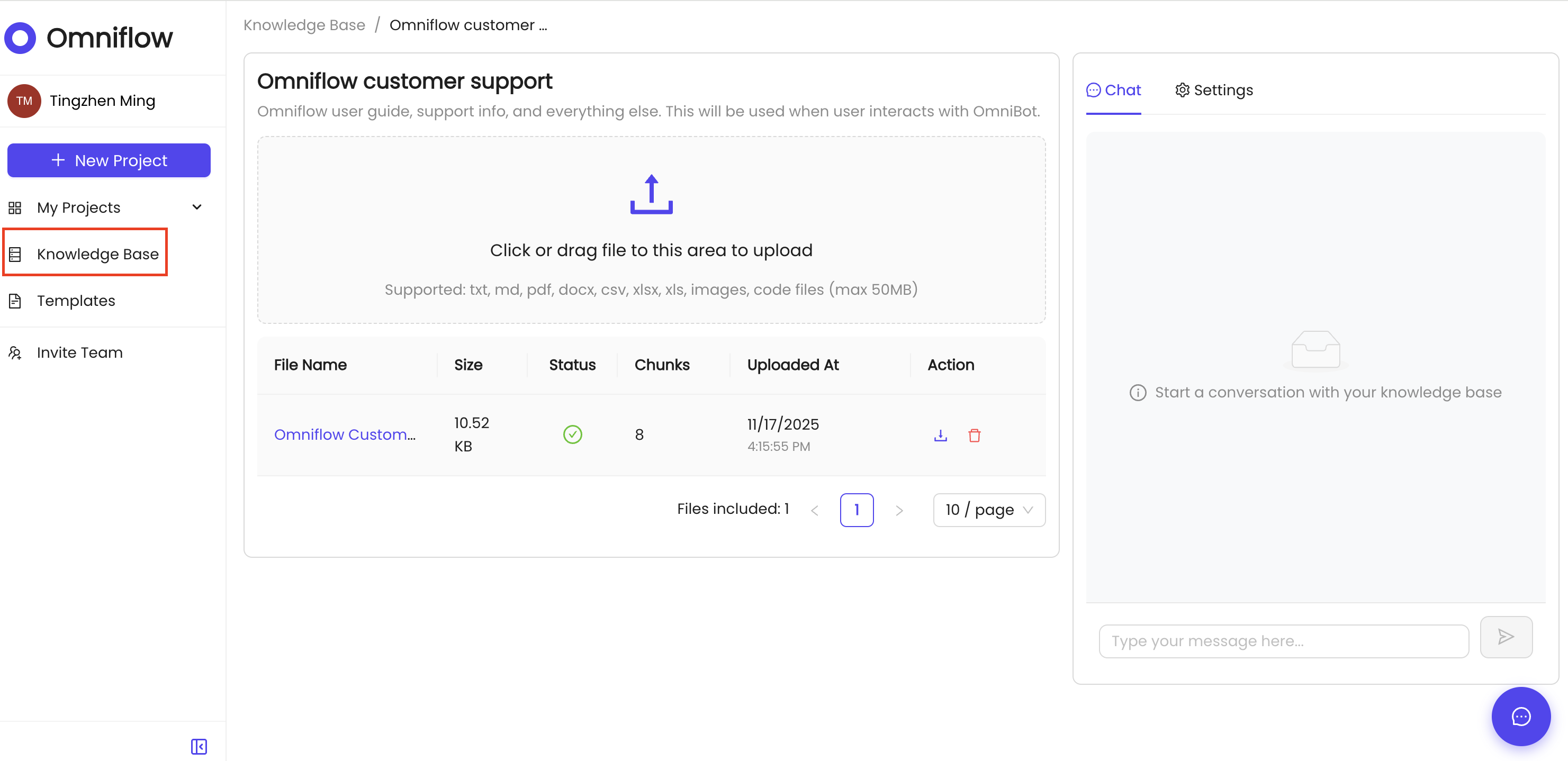
To set up your knowledge base:
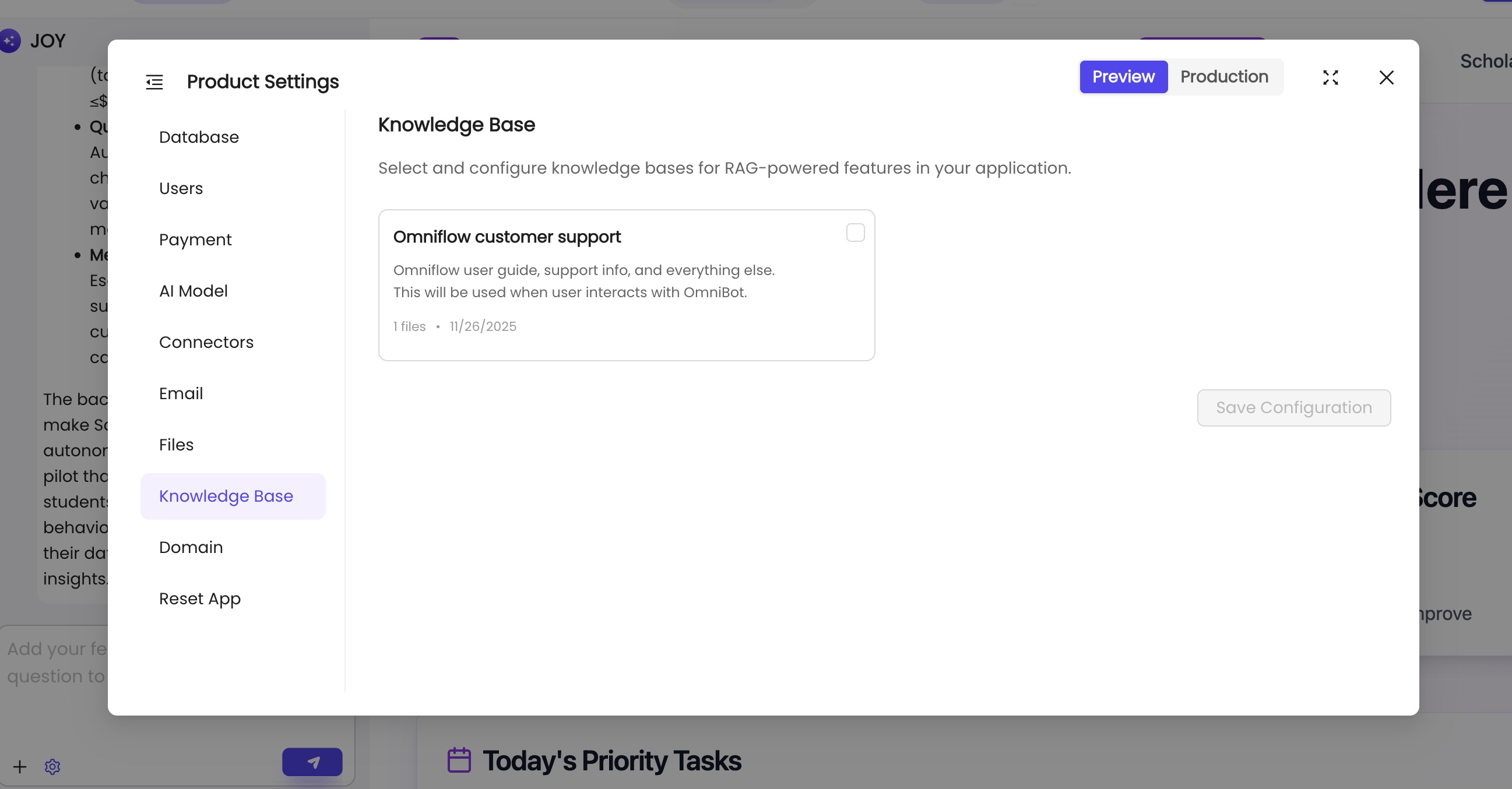
- Navigate to your Product workspace.
- Click on the Knowledge Base section in the navigation menu.
- Start creating articles, uploading documents, organizing them into categories for better discoverability.
- Configure search settings and attach your knowledge base to your application.
- Deploy your changes to make the knowledge base available to your users.