OmniflowDocs & Guides
Reset App
Reset your project to start over
Reset your project to start fresh when you need to make major changes or start over.
When to Reset
Major Architecture Changes
When switching from monolith to microservices
Technology Stack Switch
Changing from NodeJS to NextJS
Clean Slate
Starting completely fresh with new requirements
Refresh Project
Practicing new concepts and approaches
Reset Process
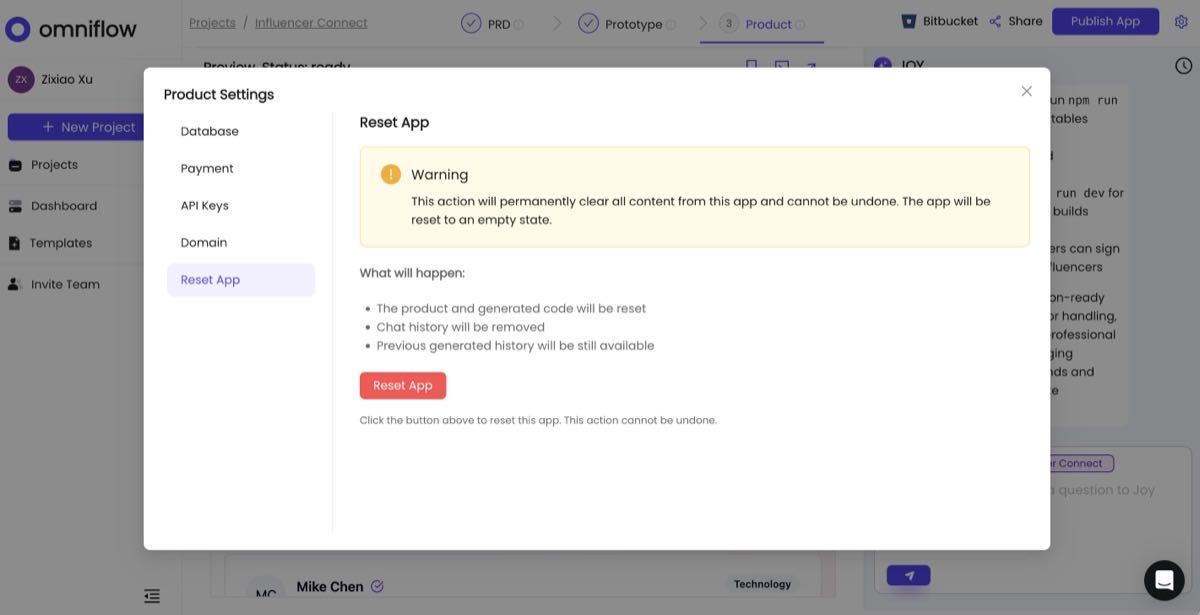
⚠️ Warning: This action cannot be undone
All project data, code, and configurations will be permanently deleted.
1
Backup any important code or data
2
Go to Project Settings → Reset App
3
Confirm reset action
4
Start fresh with new project setup